Stop losing what
you copied.
That link from 10 minutes ago? That code snippet from yesterday?
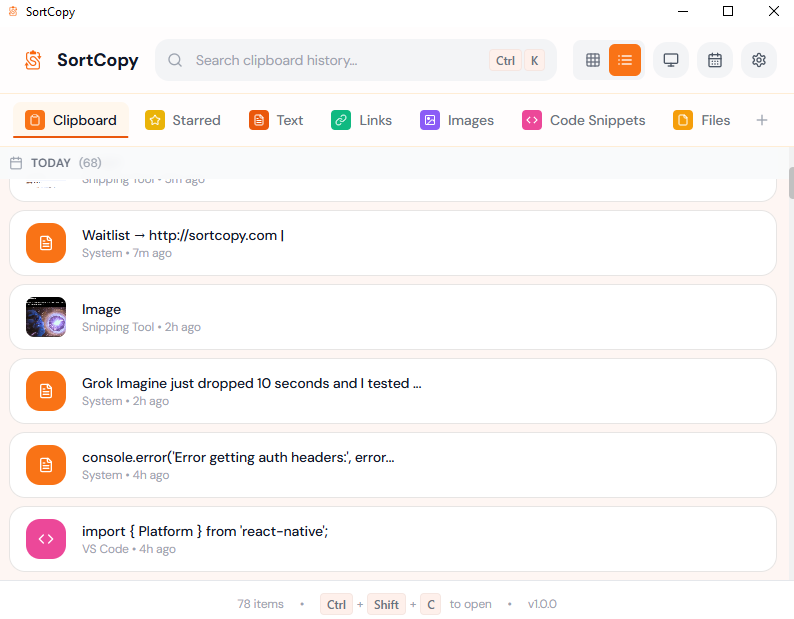
SortCopy remembers everything. Auto-sorted, instantly searchable, one hotkey away.
Three steps to clipboard bliss
SortCopy works seamlessly in the background. No learning curve, just better productivity.
Copy anything
Just copy as usual. SortCopy runs silently in the background and captures everything automatically.
Auto-sorted
Links, code, emails, colors — everything is automatically categorized and instantly searchable.
Press hotkey
Alt+V for quick paste from anywhere. Ctrl+Shift+C to open the full app with all your clips organized.
Built for how you work
Whether you're coding, designing, or writing — SortCopy adapts to your workflow.
For Developers
Code snippets, API keys, terminal commands - all organized and instantly searchable.
For Designers
Auto-detect hex colors, save design tokens, keep brand colors at your fingertips.
For Writers
Research snippets, quotes, and reference materials organized by project.
For Power Users
Global hotkeys, keyboard shortcuts, smart filters. Maximum productivity.
Why SortCopy?
Built different from other clipboard managers
Lightning Fast
Search thousands of clips in milliseconds.
Your Machine
Cloud
100% Private
No cloud, no tracking, no data collection.
Smart Categories
Auto-detects code, links, emails, files, and more.
Today
Yesterday
Last Week
Unlimited History
Your entire clipboard history, always available.
Frequently Asked Questions
Got questions? We've got answers.
Yes! SortCopy is completely free during the beta period. After launch, we plan to offer a one-time purchase option with no subscriptions.
Yes for Mac! SortCopy runs on macOS 10.15+ as a universal build (Apple Silicon + Intel) as well as Windows 10/11. Linux support is planned for a future update.
Absolutely. All your clipboard data is stored locally on your machine. We never upload or access your clips. No cloud, no tracking.
SortCopy auto-categorizes your clips (code, links, emails, colors), offers powerful search, snippets with shortcuts, and a much better interface.
Not yet, but cloud sync is on our roadmap for a future update. For now, everything stays local and private.
Ready to sort your clipboard?
Download SortCopy and start organizing your clips in under a minute.
Free • Windows 10/11 • ~8 MB installer